
Agent readiness
Make sure AI agents can read your site and act on it.
If an agent can’t reach, recognise or read your site, it can’t recommend you. 3RD tests every site you track, tells you in plain words what stands in the way, and lets you watch an agent try a real task, like finding a price or signing up.
Your first answers arrive within minutes of setup.
Trusted by marketing teams at










The current way
A page that works for people can still stop an agent.
- One line in robots.txt or a bot protection setting can shut AI agents out, and nobody notices until visibility drops.
- An SEO audit checks what search engines need. It doesn’t check whether an agent can tell a page is yours, or get through your sign-up.
- A list of 200 warnings doesn’t say which three to fix first.
Capabilities
What Agent readiness does
Four questions, one status each
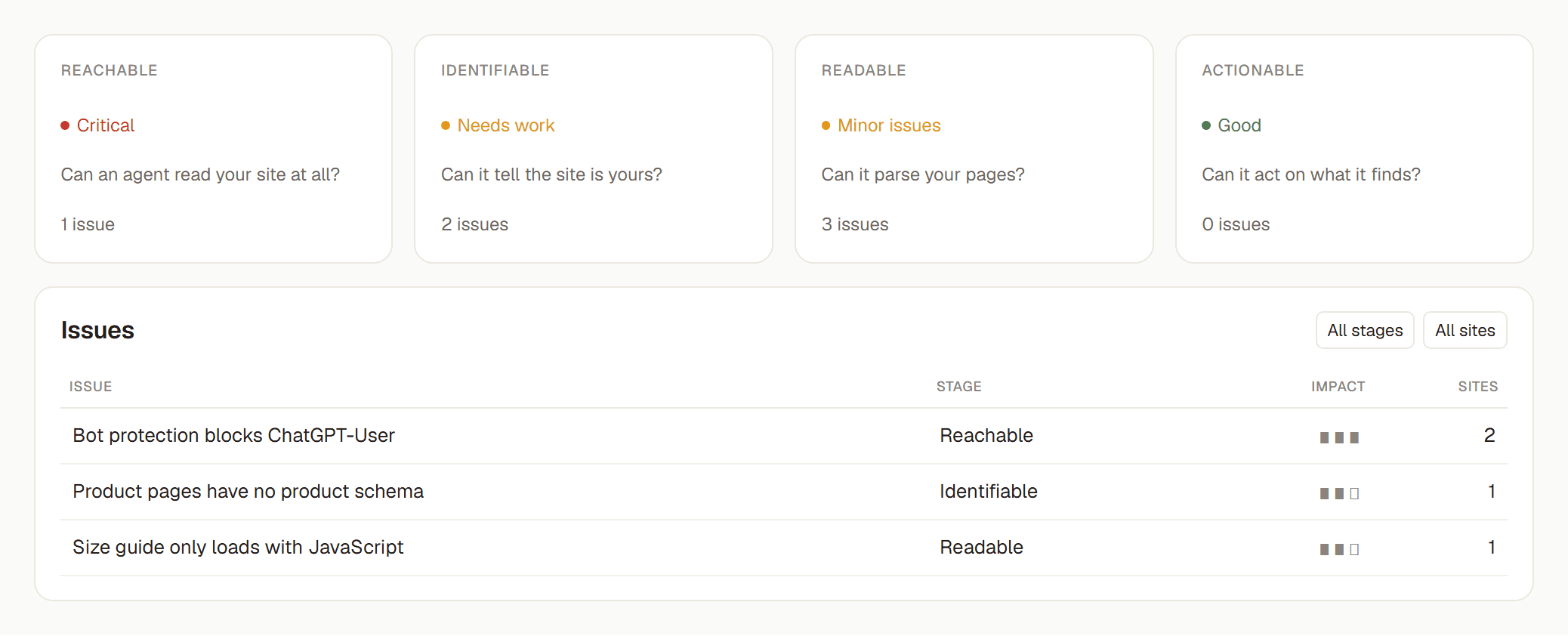
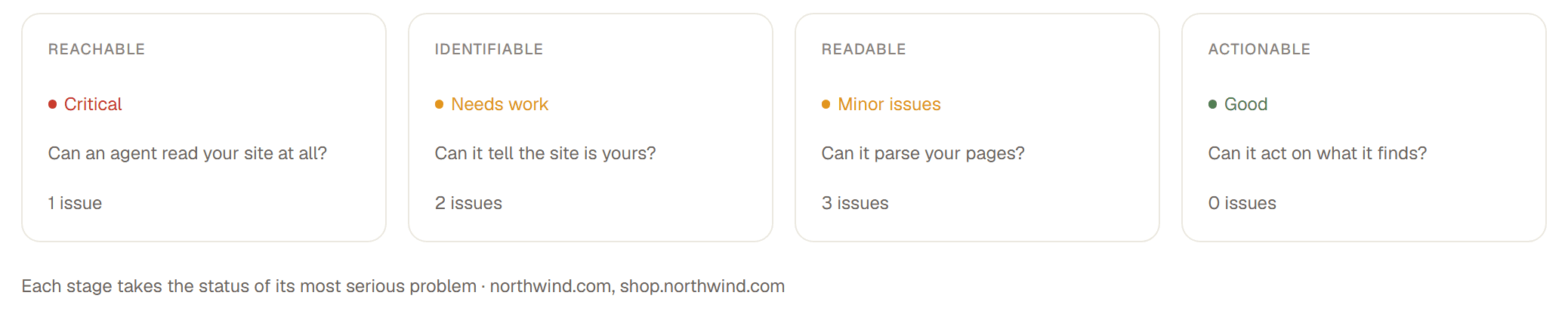
Every test belongs to one of four stages. Reachable: can an agent read your site at all? Identifiable: can it tell your site, products and pages belong to your brand? Readable: can it parse your pages? Actionable: can it act on what it finds? Each stage reads Good, Minor issues, Needs work or Critical, set by its most serious problem.
Fix what holds you back most
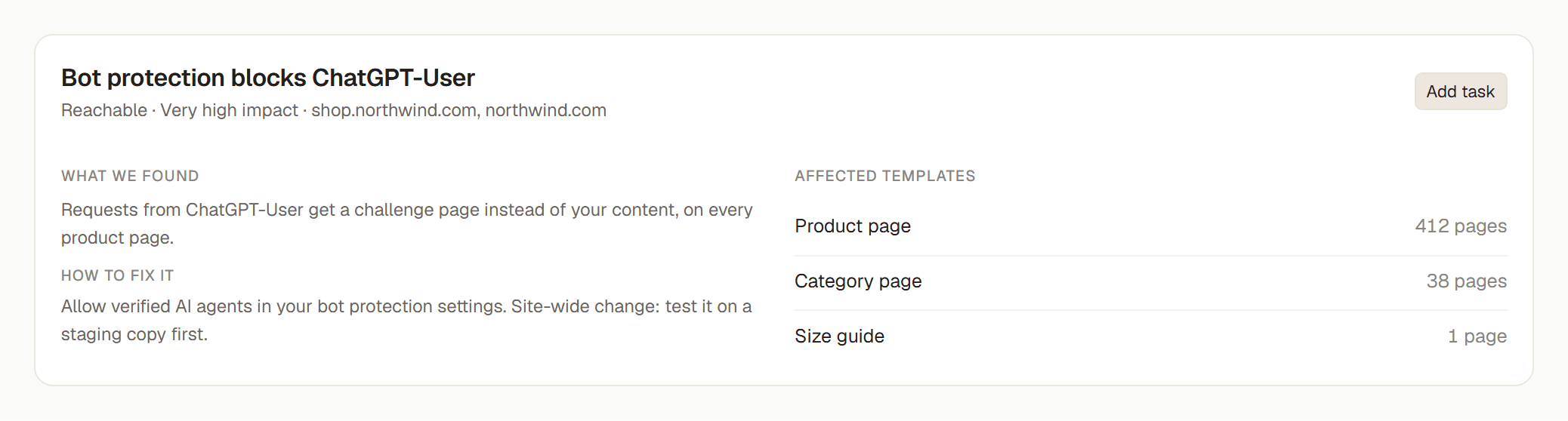
Issues shows one card per problem, even when it affects several of your sites, ranked by how much it holds back your visibility with agents. Open a card to see why it matters, what we found, how to fix it and which page templates it sits in. Fix the template once, and every page built from it is fixed.
Watch an agent try a real task
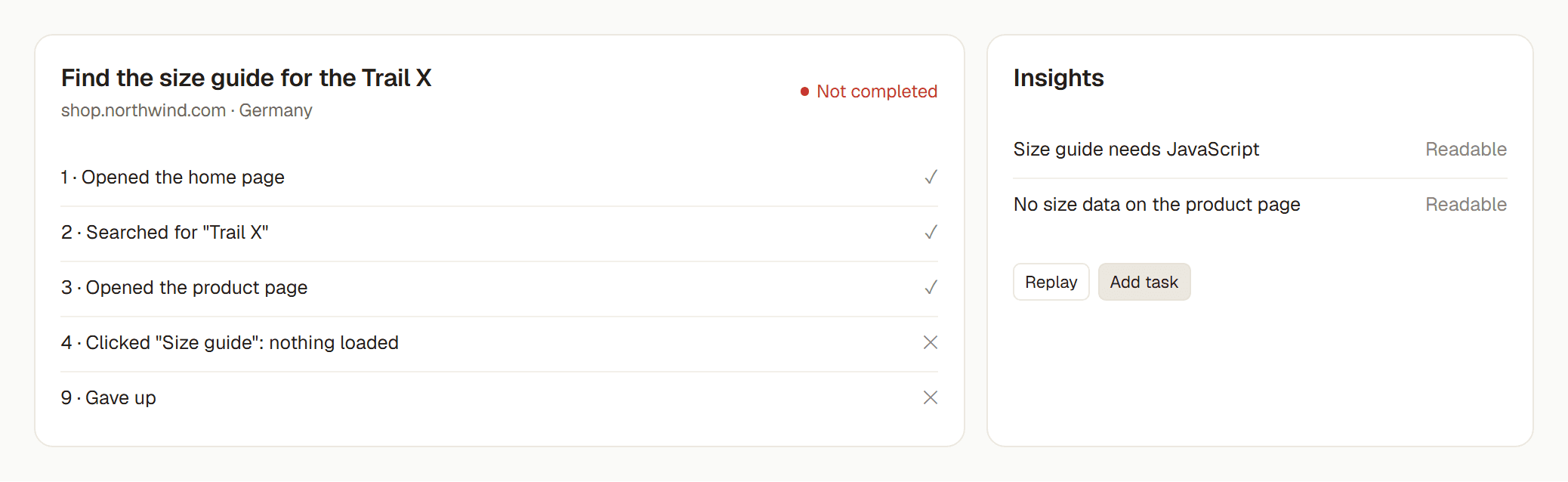
Give an agent a task on your site, like finding a price or signing up, and watch it try in a live browser. You see every step, whether it got there and what stopped it. Before anything that commits, like paying or creating an account, the agent stops and asks you.
See the fix land
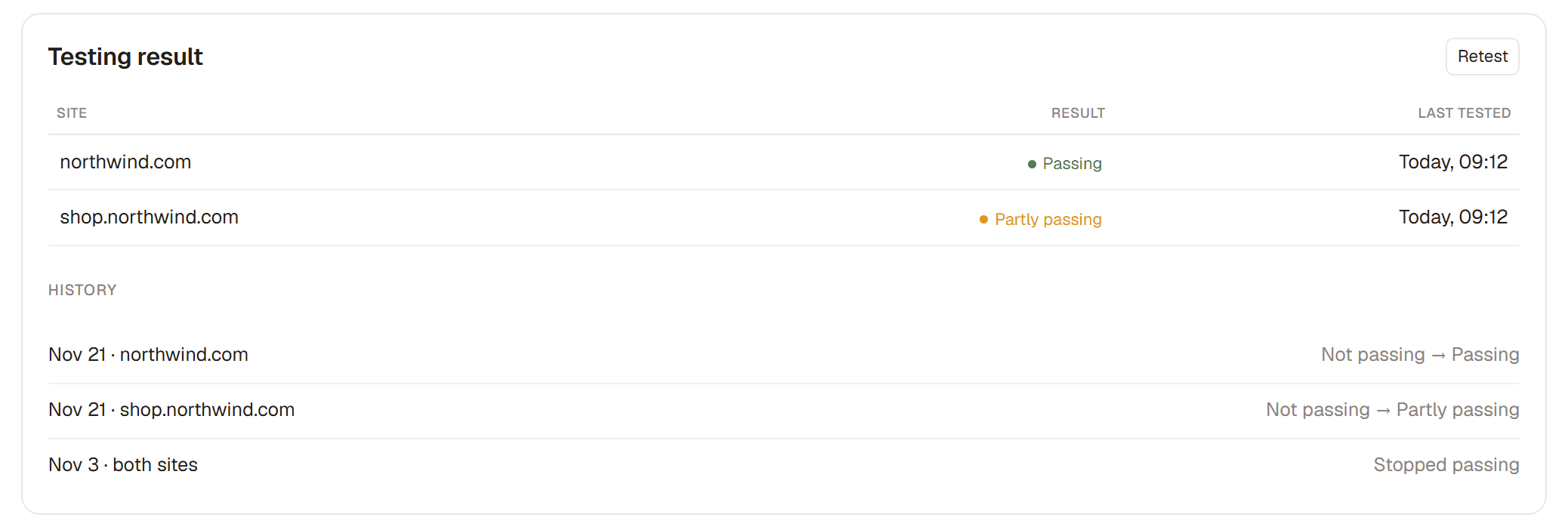
Retest a check after a fix, and the history shows the day the result changed. Any issue becomes a task in one click. When a problem passes on every site, its task says it no longer applies.
Everything in Agent readiness
Everything in Agent readiness
Four stages
Reachable, Identifiable, Readable and Actionable, each with one status.
Issues
One card per problem, ranked by impact, with the sites and templates it affects.
How to fix it
Why it matters, what we found and the fix, in plain words.
Tests
Every test we run, with its result on each of your sites.
Retest and history
Run a test again after a fix, and see the day the result changed.
Site-wide changes
Fixes like robots.txt or bot protection are marked, so a developer tests them first.
Simulator
An agent tries a real task on your site, with a live browser, every step and a replay.
Pages that don’t exist
The pages bots ask for that aren’t on your site.
Mute a test
Switch off a test you can’t or won’t act on, and it stops creating tasks.
A worked example
One shop, one blocked agent, one lost size guide
The site
shop.northwind.com
Northwind · all markets · tests and one simulation
What Agent readiness shows
- Reachable reads Critical: bot protection blocks ChatGPT-User on the shop
- The block comes from one setting and affects every product page
- In a simulation, the agent couldn’t open the size guide and gave up after 9 steps
- Identifiable reads Needs work: product pages have no product schema
What it means
Two tasks for the developer: let verified agents through the bot protection, and add product schema to the product template. Then retest both and run the simulation again.
FAQ
Questions about agent readiness
How is this different from an SEO audit?
An SEO audit checks what search engines need to rank a page. Agent readiness checks what an AI agent needs to use it: whether it’s let in, whether it can tell the page is yours, whether it can read the content, and whether it can act on it.
Which sites do you test?
The sites and pages your brand tracks. Keep that list up to date under Brand → Monitoring, so the results cover your real site.
Can a fix break our site?
Some fixes, like changes to robots.txt or bot protection, affect the whole site. They are marked as site-wide changes. Have a developer make them, test on a staging copy first, and check the site afterwards.
Does the Simulator fill in forms or pay for things?
It never pays or signs up on its own. When a form asks for your details, you can type them, encrypted in your browser and never seen by the agent, or skip. Before a step that commits to something, like paying, checking out or creating an account, the agent stops and asks you.
What if a test doesn’t apply to us?
Switch it off under Manage agent readiness tests. A muted test is hidden from the page and stops creating tasks.
Is this the old Crawlability page?
Yes. Agent readiness used to be called Crawlability, and old links open Agent readiness.
Who uses it
Who uses Agent readiness
The people who decide what gets fixed on the site.
- SEO & digitalthe fixes to make first
- Developersthe exact fix and the template it sits in
- eCommercewhether an agent gets to checkout
- Contentpages agents can read
Agent readiness
See what stops AI agents on your site.
Seven days of full access. Add your competitors and markets, and see the first answers within minutes.